Central de Ajuda Moodle
| Site: | Moodle Campus Virtual Fiocruz |
| Curso: | Moodle Campus Virtual Fiocruz |
| Livro: | Central de Ajuda Moodle |
| Impresso por: | |
| Data: | segunda, 21 Set 2026, 01:36 |
Bem-vindo

Como me cadastrar?

Como me cadastrar?
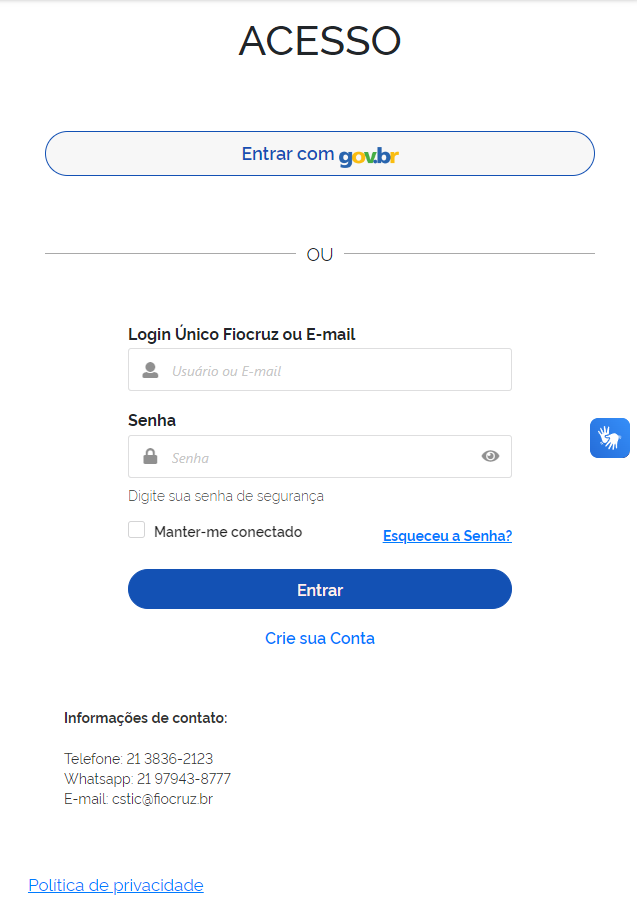
Atualmente no Campus Virtual Fiocruz há três autenticadores para login. São eles: Acesso Único Fiocruz e UNA-SUS e E-gov. É possível fazer cadastro em um destes ou em ambos, mas nossa recomendação é que utilize preferencialmente o Acesso Único Fiocruz, que vamos detalhar aqui.
01. No provedor Acesso Único Fiocruz:
1) Clique em "Criar uma conta";

2)Selecione a opção mais adequada;
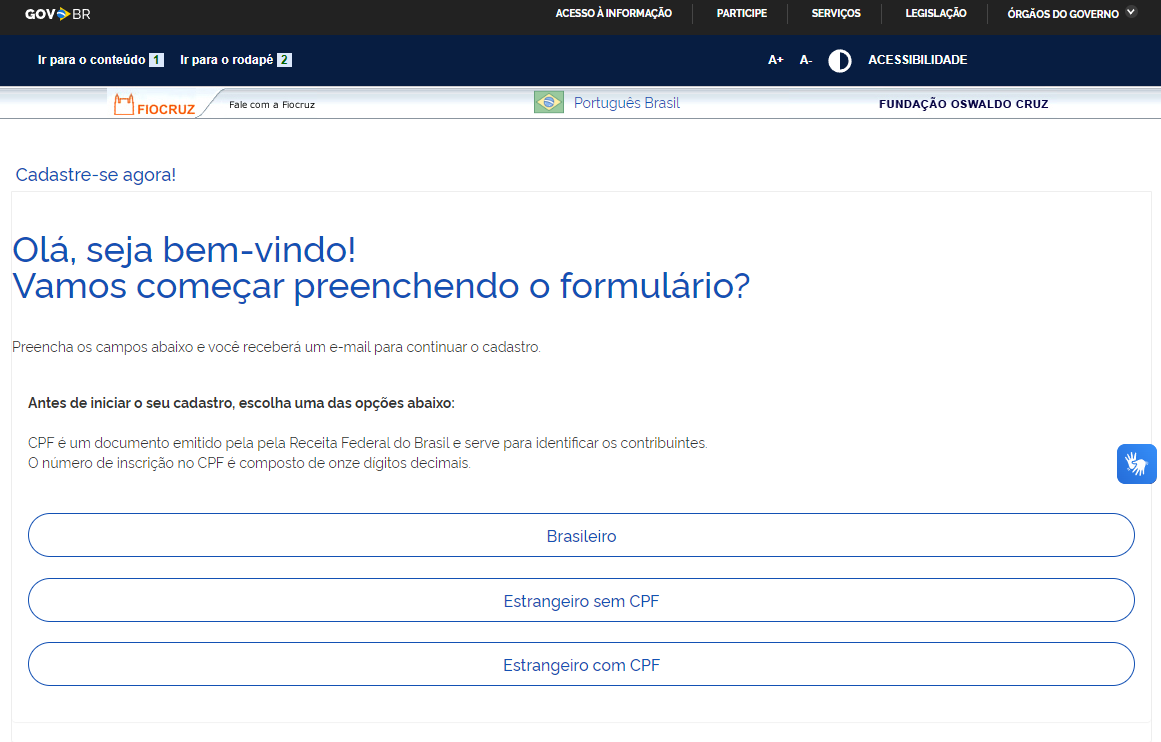
3)Preencha o formulário de acordo com a opção selecionada na tela anterior;
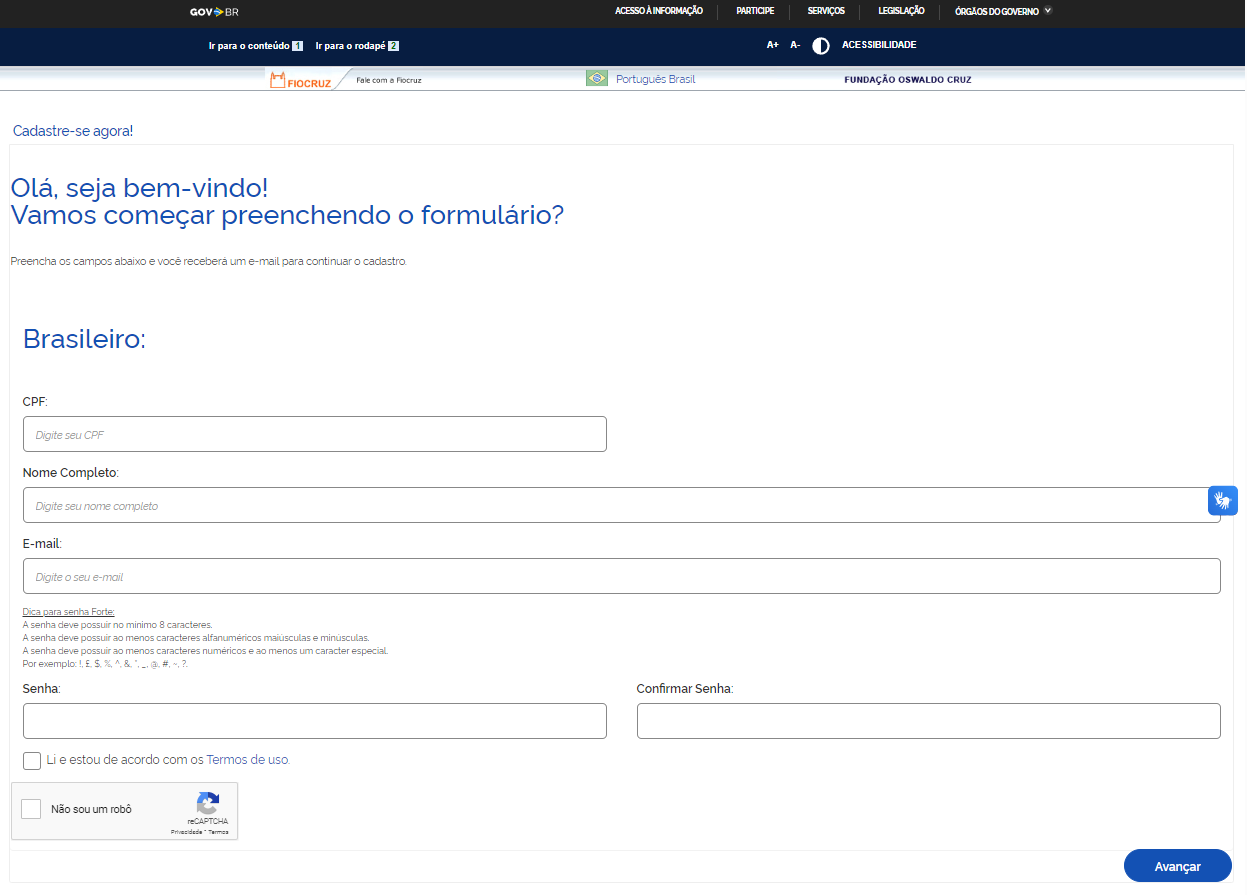
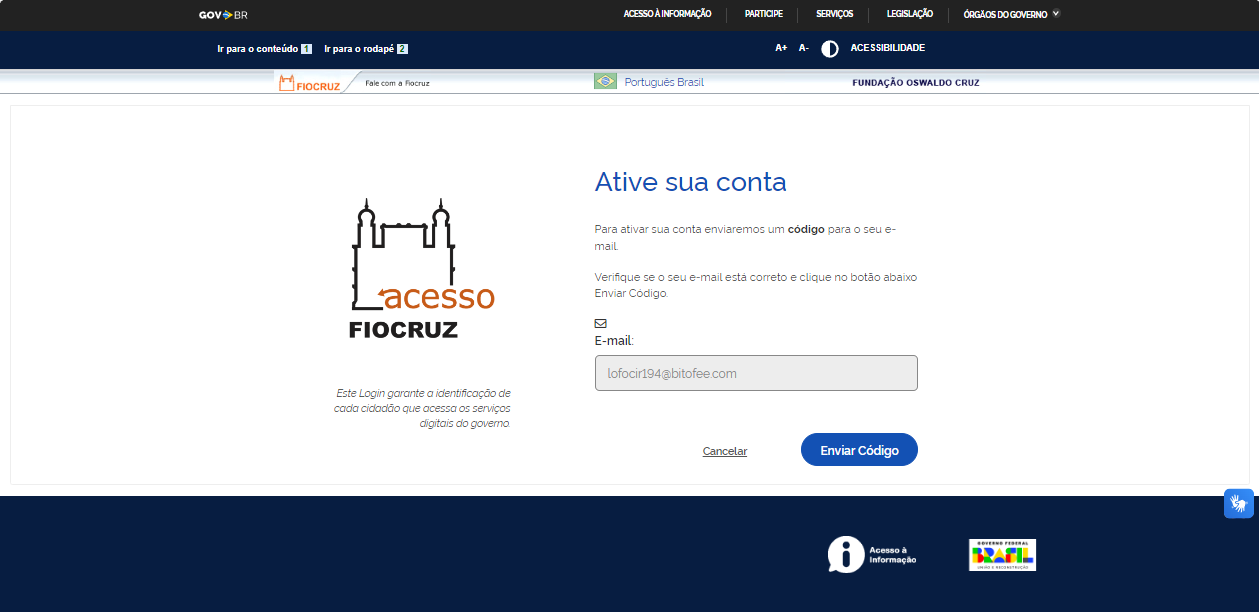
4)Depois de preenchido ative a sua conta através do código de verificação que será enviado ao seu e-mail;
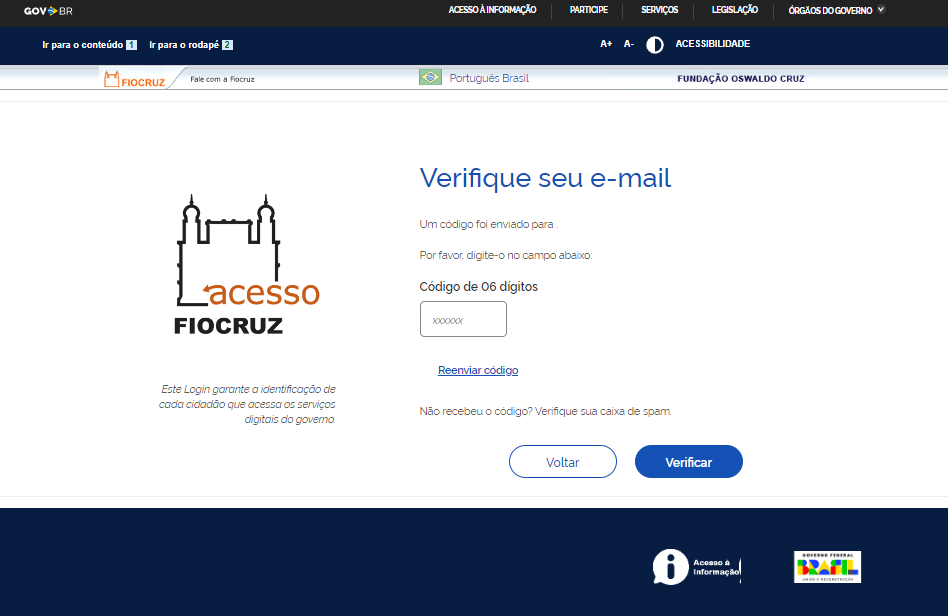
5)Verifique sua caixa de e-mail, insira o código que foi enviado e clique em autenticar;
6)Insira e-mail e senha cadastrados e clique em entrar.
Problemas no login ou e-mail de ativação

Não recebi o e-mail de ativação do cadastro ou estou com problemas no login
WhatsApp+55(21) 96523-0064
Telefone:(21) 3836-2123
E-mail:cstic@fiocruz.br
Não recebi o certificado

Não recebi o certificado
Para os Cursos de Qualificação EAD, o Campus Virtual Fiocruz emite o certificado por e-mail em até 5 dias úteis a partir do momento em que os critérios de conclusão forem alcançados (leia mais no Guia do Aluno ou no hotsite do seu curso). Caso não receba dentro deste prazo siga os seguintes passo:
- 01. O e-mail o qual será enviado o certificado é o e-mail inserido no formulário de inscrição, portanto, certifique-se que está conferindo o e-mail correto;
- 02. Verifique sua caixa de spam e/ou lixeira de seu e-mail;
- 03. Tente obter a segunda via acessando o hotsite do curso (botão certificados);
- 04. Se após todos os passos anteriores você não conseguiu obter o certificado, entre em contato conosco pelo e-mail: suporte.campus@fiocruz.br ;
- 05. Ao fazer o contato informe seu nome completo, CPF, nome completo do curso e que o prazo para emissão do certificado já expirou.
Para os cursos que não sejam livres ou que possuem algum critério de certificação diferenciado, a emissão é realizada pela Coordenação do Curso com prazo definido pelo próprio (leia mais no Guia do Aluno ou na página de inscrição do curso).
Como solicitar suporte?

Como solicitar suporte?
Caso nenhuma das opções anteriores tenha resolvido o seu problema ou caso deseje tratar de outro assunto, por gentileza, entre em contato conosco através do e-mail suporte.campus@fiocruz.br.